A Faster, Cleaner Acumatica Experience
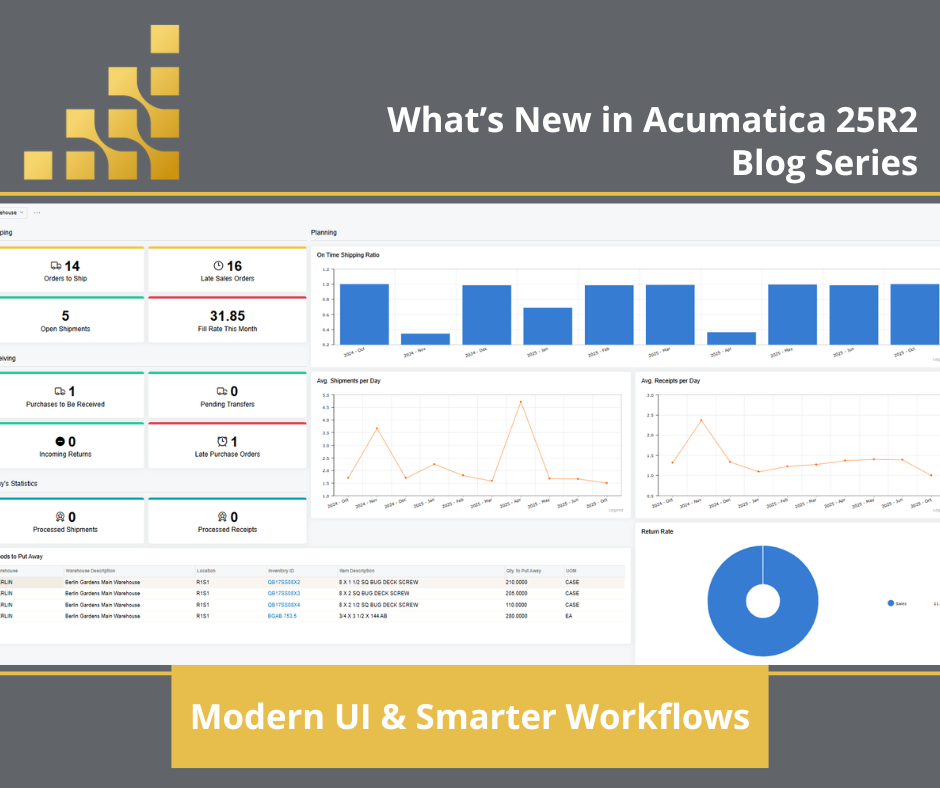
Acumatica 2025 R2 introduces the most significant visual and usability upgrade yet, a Modern User Interface (UI) designed for speed, clarity, and accessibility. The refreshed interface delivers a cleaner workspace, fewer clicks, and seamless performance across devices.
Users can now:
- Navigate faster with simplified menus and less clutter.
- Personalize layouts for role-based dashboards without coding.
- Users now have greater control over screen design that no-code or low-code.
- Experience faster load times through optimized data rendering.
The Modern UI isn’t just aesthetic, it transforms productivity. Acumatica redesigned its core interface to support future AI capabilities and greater customization flexibility. Companies that adopt 25R2 will find that onboarding new users, configuring dashboards, and completing daily tasks now take significantly less time.
What’s New in Acumatica 25R2?
To answer “What’s new in Acumatica 25R2?”, the release focuses on two main goals: smarter workflows and modernized user experience.
Smarter Workflows Across Modules
1. CRM & Activity Management Enhancements
- Unified email and task previews streamline customer interactions.
- Users can view messages, related records, and attachments without switching screens.
- A new activity summary layout helps teams prioritize faster and stay organized.
2. Visual Record Management
- Color-coded record statuses make it easy to see which transactions are open, on hold, or completed.
- These visual cues reduce errors in high-volume environments like sales, purchasing, and production.
3. Multi-Document Emailing
- Send multiple documents within one email directly from Acumatica, eliminating redundant steps and improving communication efficiency.
These updates help users move through workflows with less friction and better context, key ingredients for faster approvals and more accurate collaboration.
Preparing for Your 25R2 Upgrade
Acumatica follows a semi-annual release cycle (R1 & R2 each year), introducing major functional updates and dozens of smaller improvements every six months. To make the transition to 25R2 smooth, follow these upgrade best practices:
- Upgrade once per year. Staying within one major release ensures continued access to new features, security patches, and support.
- Request a sandbox environment. SaaS customers receive a complimentary 90-day sandbox. This test instance allows you to validate workflows, integrations, and customizations before upgrading production.
- Review release notes carefully. Each version builds on the previous one. When moving from 24R2 to 25R2, review both 25R1 and 25R2 notes to capture all intermediate changes.
- Verify ISV and customization compatibility. Confirm that all connected applications, such as payment gateways, EDI systems, or add-on solutions, are compatible with 25R2 to avoid downtime.
- Plan training and communication. Introduce the new UI as part of your testing. A short internal orientation helps users understand navigation changes and personalization options before go-live.
These steps ensure a seamless upgrade path while reducing risk to ongoing operations.
Why Does Modern UI Matter?
The 25R2 Modern UI isn’t just about appearance; it’s about performance, consistency, and future readiness.
- Productivity: Users complete tasks with fewer clicks and less scrolling.
- Adoption: The intuitive layout reduces learning curves, allowing new employees to become productive faster.
- Scalability: Personalized layouts and role-based dashboards adapt easily as organizations grow.
- Innovation: The new framework supports upcoming AI-powered capabilities like automation, anomaly detection, and predictive analytics.
For businesses managing complex, multi-departmental workflows, the Modern UI delivers unified navigation that ties financial, manufacturing, distribution, and CRM data together in one intuitive experience.
Value of Staying Current on Your ERP
Upgrading to Acumatica 25R2 positions organizations to:
- Improve efficiency through streamlined processes
- Enhance data accuracy via real-time visibility
- Reduce manual effort through automation-ready design
- Gain competitive advantage with continuous innovation
For businesses managing complex, multi-departmental workflows, the Modern UI delivers unified navigation that ties financial, manufacturing, distribution, and CRM data together in one intuitive experience.
How Algorithm Helps You Prepare
Algorithm provides hands-on support through every stage of your Acumatica lifecycle. From sandbox setup and customization validation to training and post-upgrade optimization, our team ensures you take full advantage of each new release.
If your organization hasn’t yet moved to the Modern UI, Algorithm can help you evaluate readiness, map out testing priorities, and plan your upgrade timeline to align with your business schedule.
Beyond technical support, Algorithm delivers continuous education and communication throughout the year:
- Release Webinars: With every Acumatica R1 and R2 launch, our team hosts interactive webinar "Our Favorite Things of Acumatica" where consultants showcase new features, share practical use cases, and answer customer questions in real time.
- Assigned Consultants and Customer Success Manager: Every Algorithm customer is supported by a dedicated team that knows your environment and business processes. Whether it’s a quick question or a complex configuration change, your assigned experts are there to help.
- Post-Upgrade Support and Optimization: After each upgrade, Algorithm reviews your environment to ensure customizations, workflows, and integrations are performing as expected, so your operations continue without interruption.
Stay informed year-round by visiting Algorithm’s Resource Center for release highlights, upgrade guides, and success stories. You can also explore the Algorithm YouTube channel for recorded webinars, customer interviews, and demo videos on Acumatica’s latest capabilities.
Partnering with Algorithm means having an expert by your side at every milestone; before, during, and after your upgrade, to help your business stay modern, efficient, and ready for what’s next.
25R2 Q&A
What is the Modern UI in Acumatica 25R2? A redesigned, faster interface with simplified navigation, mobile responsiveness, and role-based personalization for a better user experience.
Why should I upgrade to 25R2? To gain access to the Modern UI, smarter workflows, and improved system performance, while ensuring your ERP remains supported and future-ready.
How do I prepare for the upgrade? Review release notes, test in a sandbox, validate customizations, and schedule training with your Acumatica partner before moving to production.
What's Next for Acumatica 25R2?
Acumatica 25R2 shows the company’s continued commitment to user-centric innovation. The combination of a Modern UI, smarter workflows, and refined upgrade process makes this release one of the most impactful in recent years.
By upgrading strategically and leveraging Algorithm’s guidance, businesses can unlock a faster, more flexible ERP foundation, one that’s ready for AI, automation, and the connected future of modern business. If you have any questions about Acumatica's latest release or how Acumatica can transform your business running smoothly, contact Algorithm.


 August 17, 2026